Inventory, orders and a website for flower shops
From the delivery to the bouquet in hand — every stem accounted for
Flowery keeps flowers in batches with shelf life, reserves stems for every confirmed order and shows which batches to use first. Customers order on your own website, and you see the cost and margin of every order straight away.
English and Ukrainian · Pickup, your own delivery or a Uklon courier · AI images and descriptions for bouquets
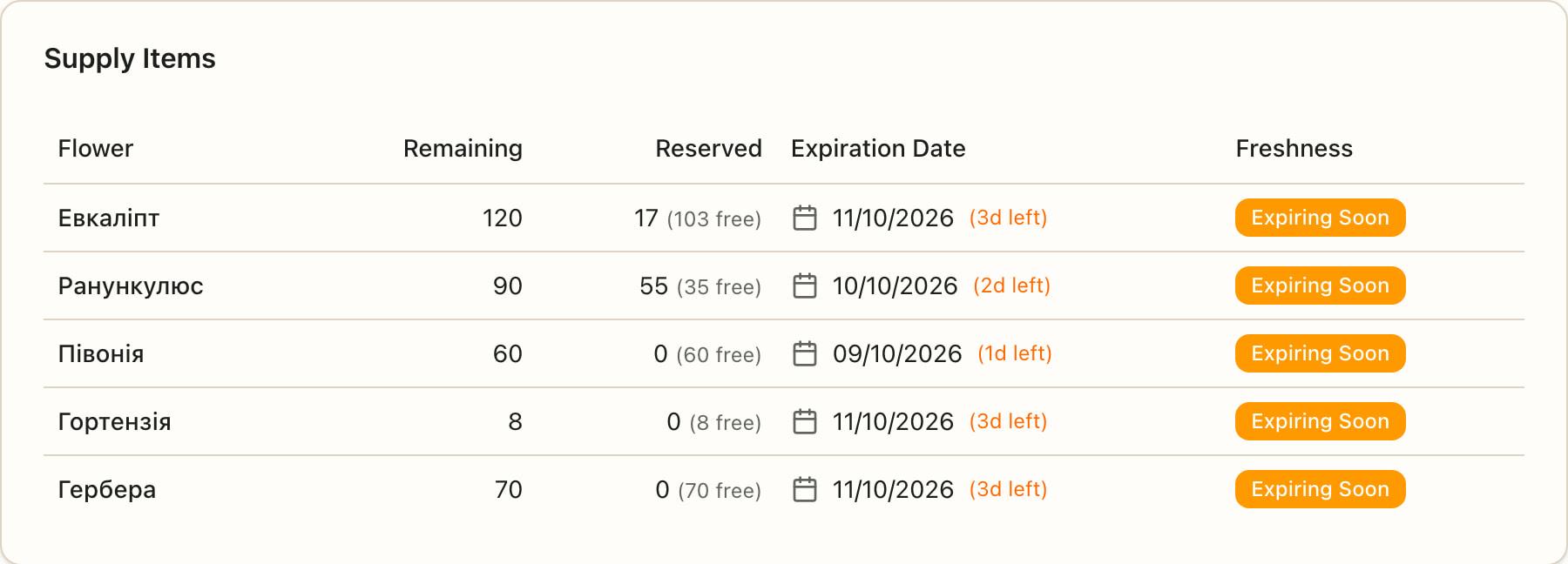
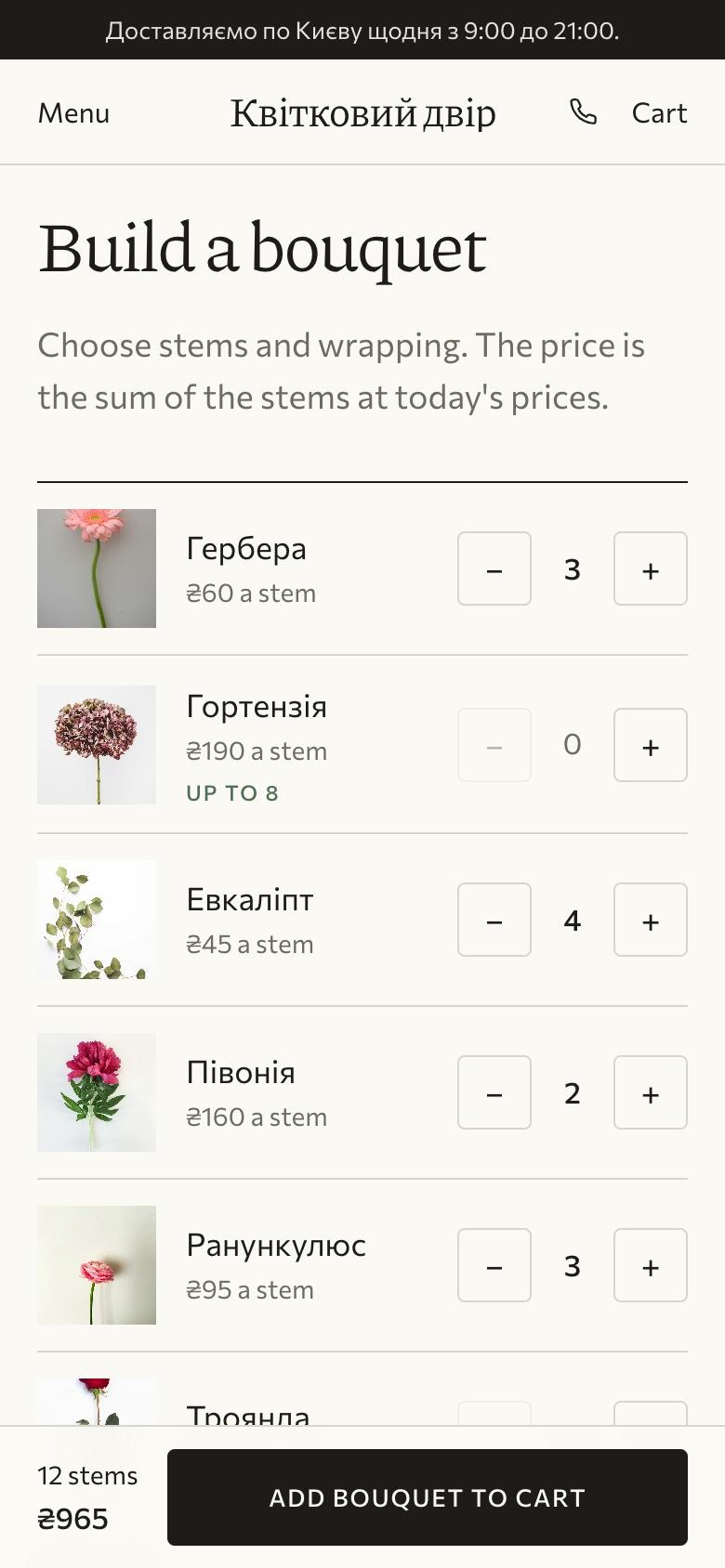
Real Flowery screens with demo data: batches in stock and the bouquet builder on the website.
How it works
One order, from the delivery to the margin
Stock, catalogue, website, delivery and finance all work from the same data. Here is the path of one bouquet.
Delivery
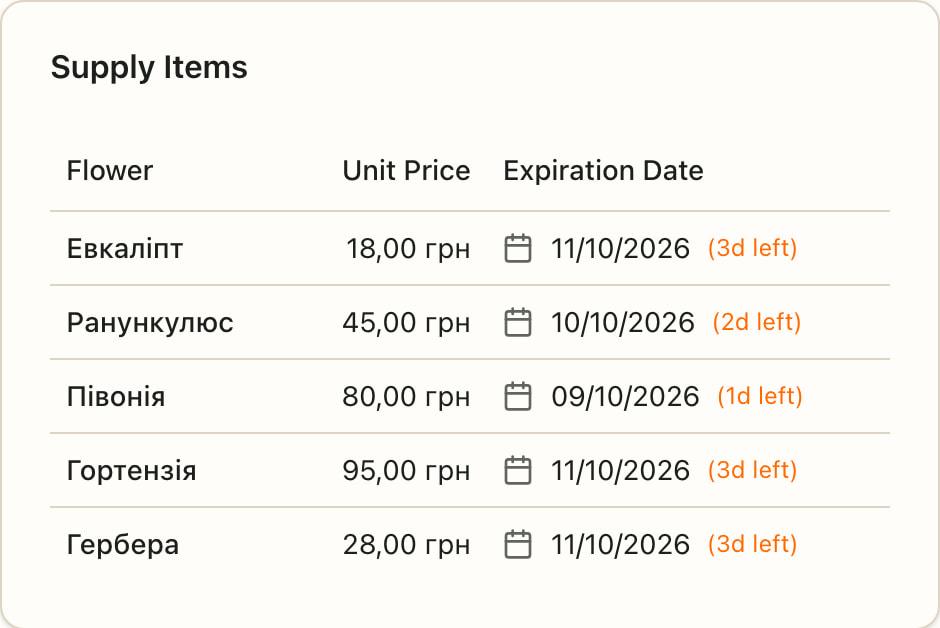
You record a delivery, and each flower becomes a batch with its purchase price and shelf life.
Bouquet
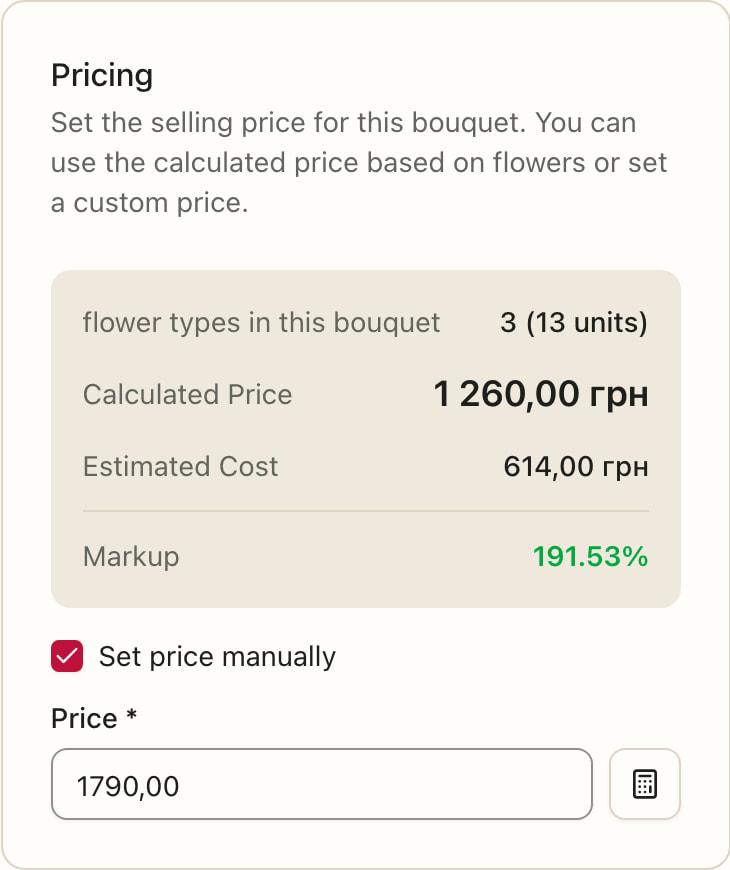
You build a bouquet from stems. Flowery works out the price from its stems and the estimated cost, and you can set your own price.
Order
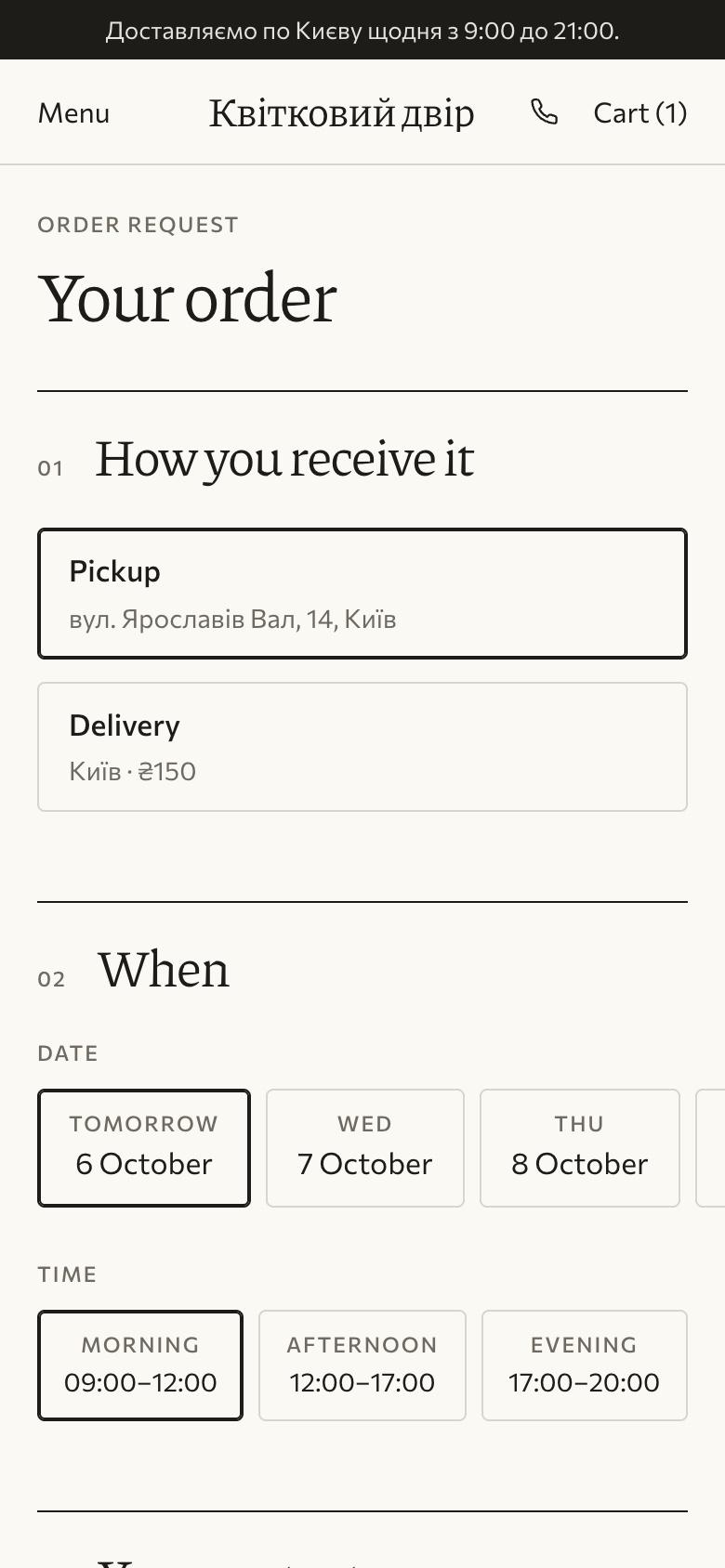
A customer orders on your website, and you enter phone and messenger orders yourself. They all share one list.
Reservation
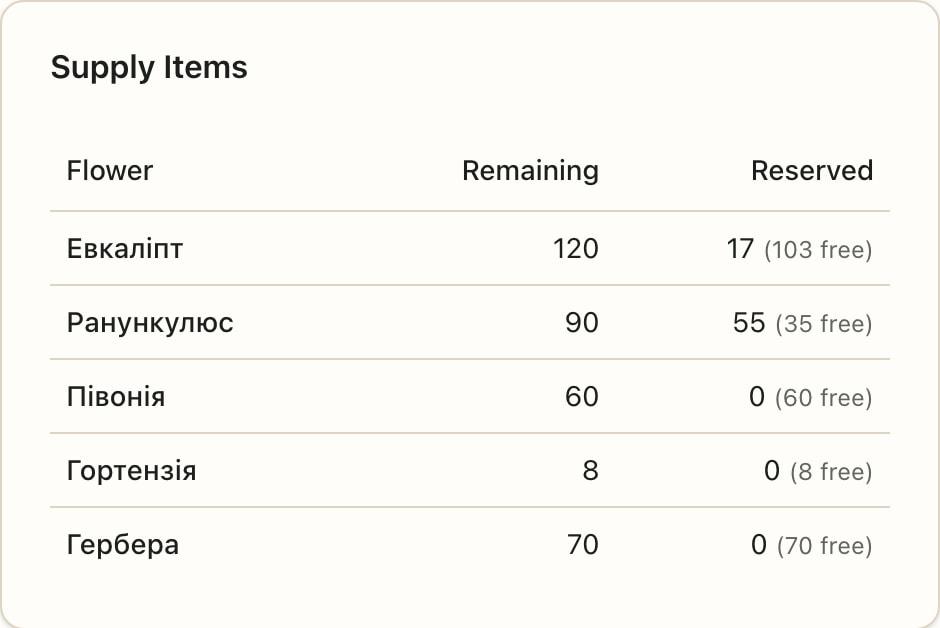
You confirm the order, and Flowery reserves stems from the batches to use first. If something is short, it tells you exactly which flowers.
Delivery to the customer
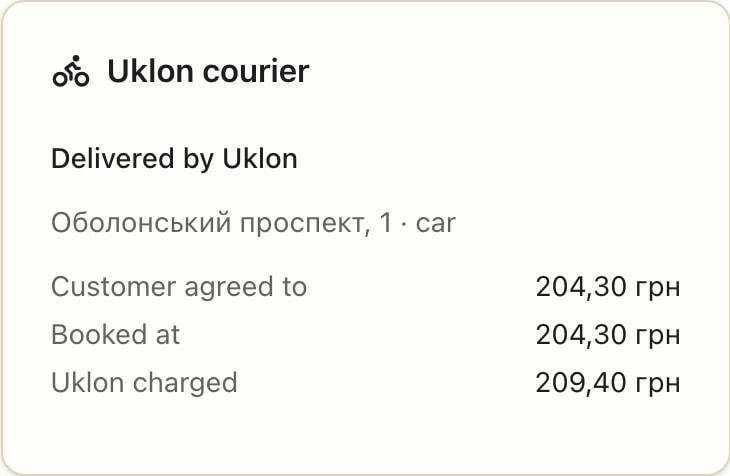
The florist assembles the bouquet, and the stems leave stock exactly once. Then pickup, your own delivery or a Uklon courier, while the customer follows the stage on their own page.
Margin
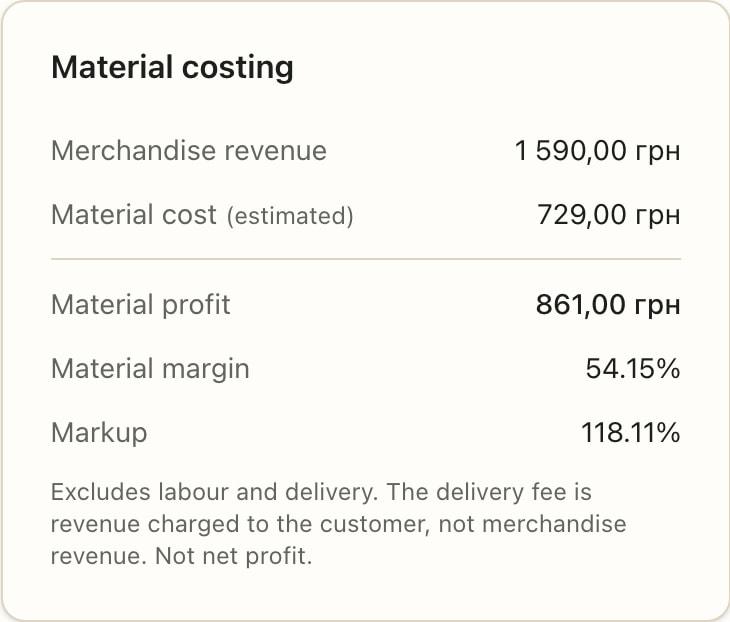
Each order shows its material cost and margin, and the totals for any period add up in Finance.
Real Flowery screens with demo data.
Freshness
Stock that remembers every batch
Flowers are not T-shirts. Every delivery becomes a batch with its date, purchase price and shelf life, so you see which batches to use first.
- Orders reserve from the batches with the least time left
- A confirmed order holds its stems, so on 14 February or 8 March you never promise the same flowers to two customers
- Write-offs and supplier returns, each with a reason
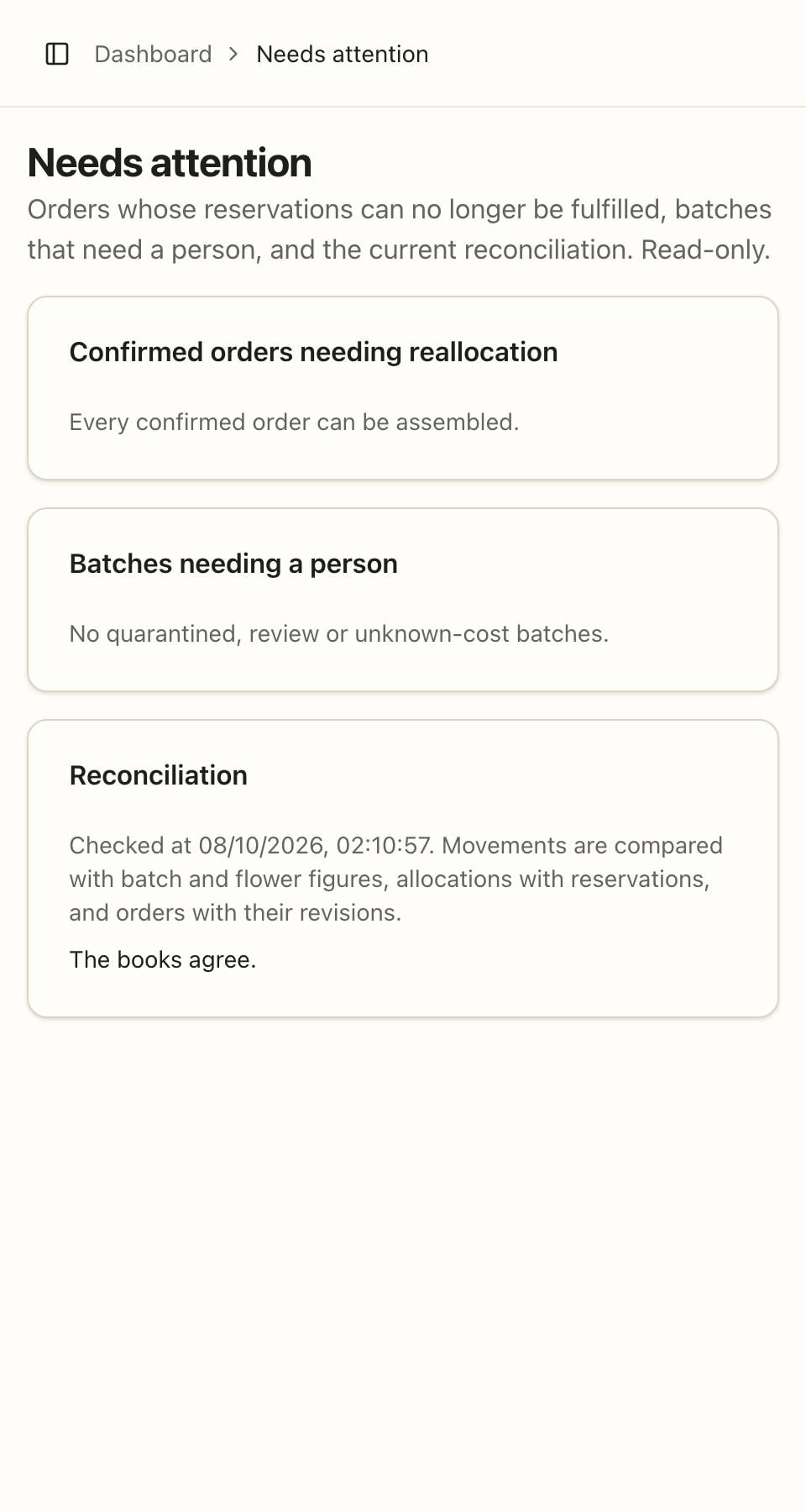
- A “Needs attention” page: orders short of flowers and batches waiting for your decision
- Every stock movement is recorded, so any number in your stock can be explained
Website
Your own website, with prices and availability from your books
Every shop gets a website at its own address. The catalogue, prices and availability come from your books, so there is nothing to copy over by hand.
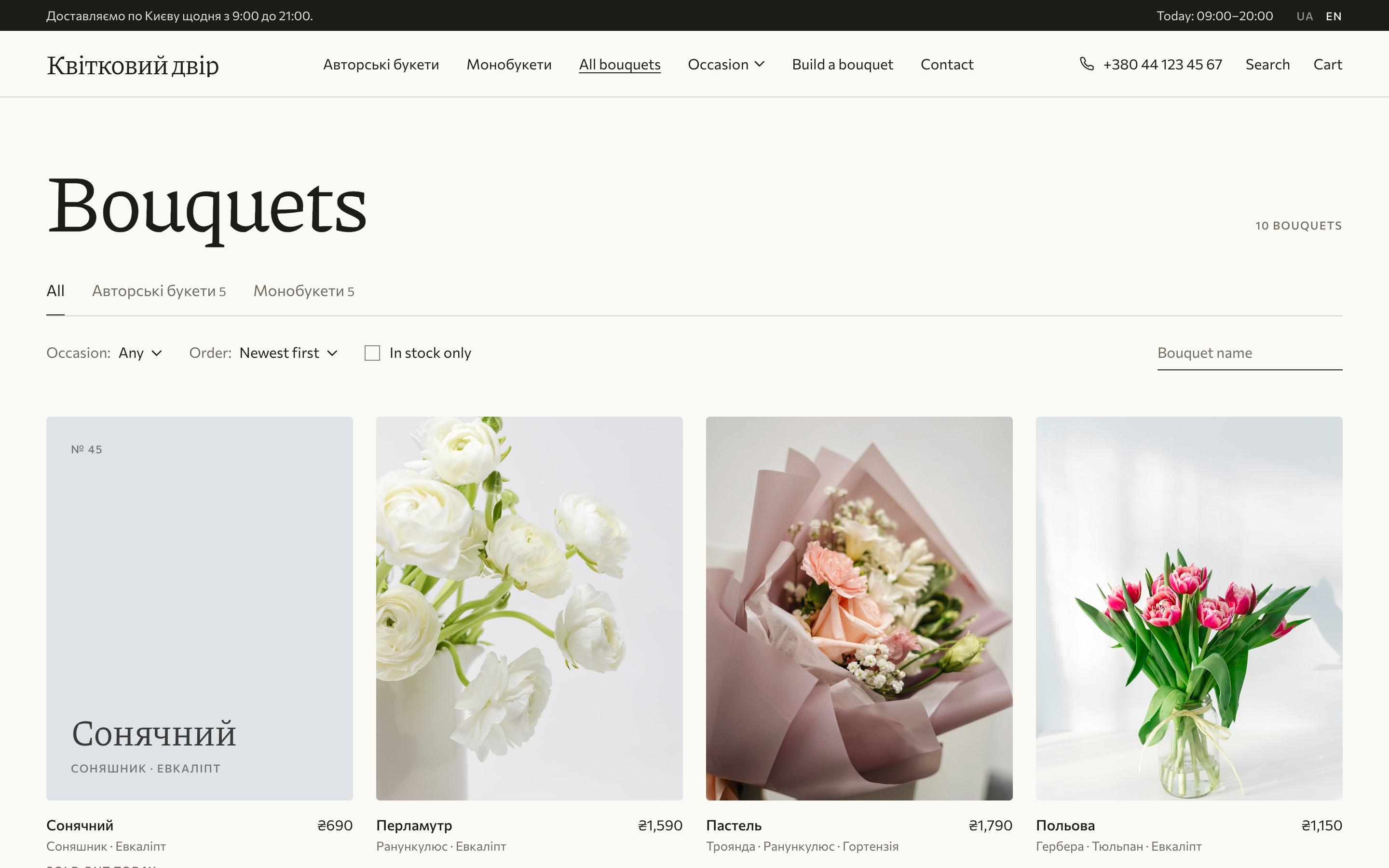
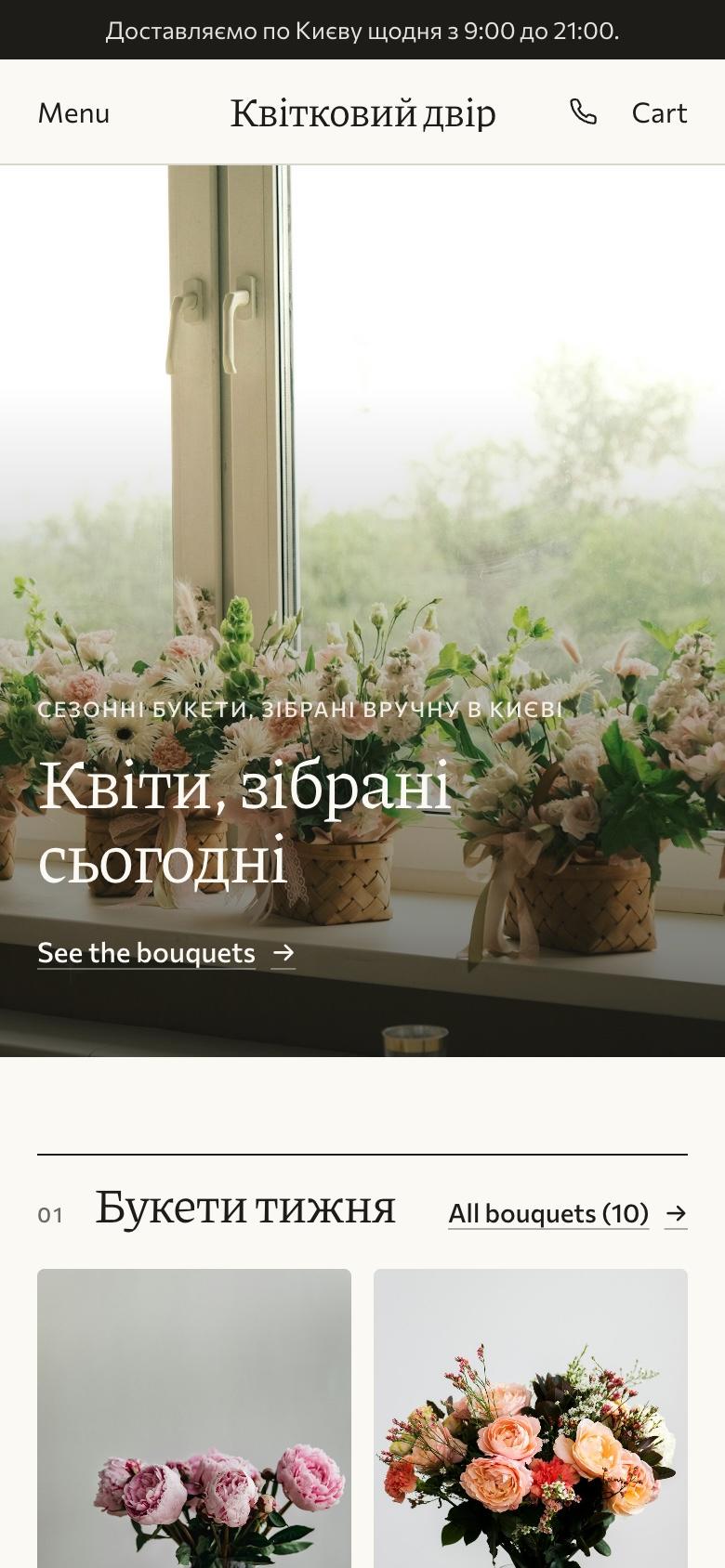
Real Flowery screens with demo data.
Two themes
Light Bloom and dark Noir. Colours, fonts and home-page sections change without code, and you see changes before anyone else.
A bouquet builder
Customers choose stems and wrapping and see the bouquet’s current price.
Honest availability
“In stock”, “Few left” or “Sold out today” — from real stock.
Orders without follow-up calls
Customers choose how, when and in which window, then get an email and a page with their order’s status.
How customers receive their bouquet
Online card payment is the next stage of development.
- Pickup, only during your opening hours
- Your own delivery with a flat fee, free above an amount you set
- A Uklon courier, priced at the moment of ordering
- Morning, afternoon and evening windows, the same as in your books
- Cash or card on receipt, and bank transfer to the shop for Uklon deliveries
AI for the catalogue
Images and descriptions for new bouquets — no photo shoot
Put a new bouquet together in your catalogue, and AI creates an image of exactly those flowers in exactly those quantities. It writes the description in English or Ukrainian.
- Five European floristry styles and five settings: studio, marble, boutique window, editorial flat lay
- Held by a model, or on its own
- Three angles of one bouquet: front, top-down and close-up
- Descriptions of flowers and bouquets — two or three vivid sentences, in English or Ukrainian
What AI does not do
- This is a generated image, not a photo: shades and shapes can differ from the real bouquet
- AI does not change prices, stock or orders
- You decide which image goes on the website — or upload your own photo
“Summer Garden”
- Peony × 4
- Hydrangea × 2



Money
What every bouquet earns
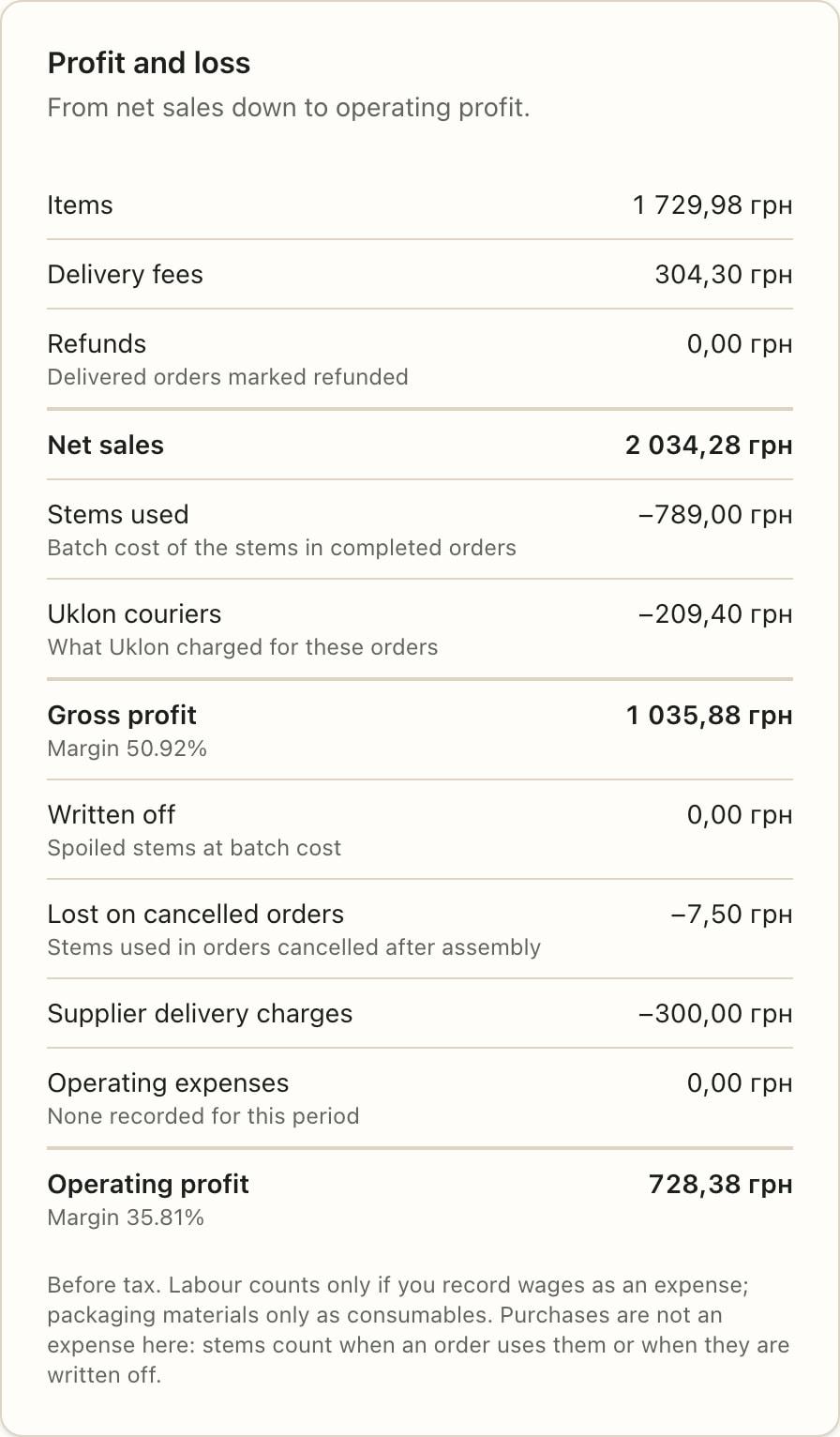
Cost comes from the purchase prices of your batches. Every order shows its materials, the profit on them and the margin, and Finance adds up any period.
- Flowers at the purchase prices of your batches; if a cost is missing, Flowery shows a dash, never zero
- A profit and loss statement, from net sales down to operating profit
- Purchases by supplier, write-offs, stock value, payments and what customers owe
- Rent, wages and the shop’s other expenses, and CSV exports for your accountant
An order’s margin counts materials only, without labour or delivery. Operating profit in Finance is before tax, so it is not net profit.
Team
Invite florists and managers by email. Florists see bouquet stems and stock; cost and Finance are for managers, admins and the owner only.
Getting started
From sign-up to a website that takes orders
Sign up
With your email or with Google.
Name your shop
A name and an address like roses.flowery.com.ua, then your phone, address and opening hours.
Add flowers and bouquets
Flowers from a ready list, bouquets from ready recipes. Or start with a demo shop that is cleared in one click.
Open your website
In Getting started, one click publishes your website and another turns on pickup orders.
FAQ
Frequently asked questions
Do I need a developer or a website of my own?
No. Your website is created with your shop at yourshop.flowery.com.ua and filled from your catalogue. You change the theme, colours and sections in settings.
I already have a website or Instagram. What happens to them?
Your Flowery website runs at its own address, so you can link to it from Instagram, your old website or a messenger. Moving an old website over, or embedding the catalogue in another website, is not possible yet.
Can I use my own domain?
Yes. Connect it in Settings → Domain, add one DNS record at your registrar (one click if your DNS is on Cloudflare), and the website opens at yourshop.ua (with or without www) with its own certificate. Your flowery.com.ua address keeps working and sends visitors there.
How do customers pay?
Cash or card on receipt — you choose what to accept. Uklon courier deliveries are paid by bank transfer to the shop before dispatch. Online card payment is the next stage.
What do I need for Uklon delivery?
Your own Uklon Delivery business account. You connect it in settings and choose the pickup point; customers then see the courier price as they order. You book the courier from the order page.
What does AI do, and what does it not do?
It creates bouquet images from their stems and writes descriptions of flowers and bouquets. AI does not change prices, stock or orders, and you decide what to show on your website. The image is generated, so it can differ from the real bouquet.
Can I take orders by phone?
Yes. Phone, messenger and walk-in orders use the same form and follow the same path: reservation, assembly, delivery.
Start with a demo shop, or straight away with your own flowers
Inventory, orders, a website and finance in one place — from the first delivery to the bouquet in your customer’s hands.
Create your shop